Nonprofit Annual Report Guide: How to Create Impactful Reports
Through our nationwide work in nonprofit web redesign and development, we’ve noticed recurring themes among our partners. Common requests include, “We need a ‘team’ page,” “We need a space to share recent news and press releases,” and, almost always, “We need to put our annual report online!” This last oft-cited, rarely-prioritized request means that we here at IndieTech Solutions have seen nonprofit annual reports come in all shapes and forms.
The one piece of advice we consistently share with our partners each year is this: Give your annual reports the attention they deserve. You spend a lot of time (and often money) to create them, and they’re a reflection of you and your achievements for the year. That’s why you should: 1. Shout them from the rooftop, and 2. Make sure they look amazing!
With all the talk nowadays about user experiences, engagement, and accessibility online, we find that so many organizations still rely on a template, straight-to-PDF annual report added to a “Financials” or the like page as their go-to solution for hosting them online. While this approach does make the necessary information available to users in a way they’re often used to, with a little more effort, your nonprofit annual report can become much more engaging and user-friendly.
Two Approaches for Nonprofit Annual Reports
So you’ve decided you want to go beyond the PDF for your annual report this year—now what? While it may seem like a daunting, complicated task, there are two different approaches you can take to either simplify the process, or make the landing page for your report as robust as it can be.
1. Simple yet engaging
Instead of relying on a PDF, we highly recommend creating a dedicated landing page to house your organization’s next annual report.
Even if you can’t include all of the content from the report you can use some at-a-glance information to attract new audiences to key information that you may want them to notice. This could include top-line facts and figures from the year showcasing your impact and financials.

You might also consider adding a note from your Executive Director, sharing their passion for the work accomplished over the last year and inspiring others to get involved in meaningful ways.
Not only can this space provide an opportunity for new site visitors to get to know your organization a little better, but can also serve as a reminder to your existing audiences that you’re thinking about them, too.
Those facts and figures may compel them to dive into the full report if they’re considering a(nother) donation, and that note from the ED might be just the encouragement they need to renew their membership for another year.
Check out our friends at New American Leaders, who created an evergreen “Impact” page that they update each year based on their findings from their annual report. This format allows them to feature an additional section in their About menu, helping visitors learn more about them and their work. They also include a call to action, encouraging visitors to sign up for their newsletter.
TIP: if a graphic designer is creating a PDF version of your annual report, ask them to send the visual assets that they use in it separately. You never know what might work for your webpage, and a little extra visual interest can go a long way!
2. Robust and compelling
If your organization has the opportunity, we recommend creating an interactive version of your full annual report on your website.
You can still add the pieces above in an “overview,” “at-a-glance,” or “key findings” section, but for those existing audience members who want to explore the full report, an interactive, full-page, version offers a much better reading experience.
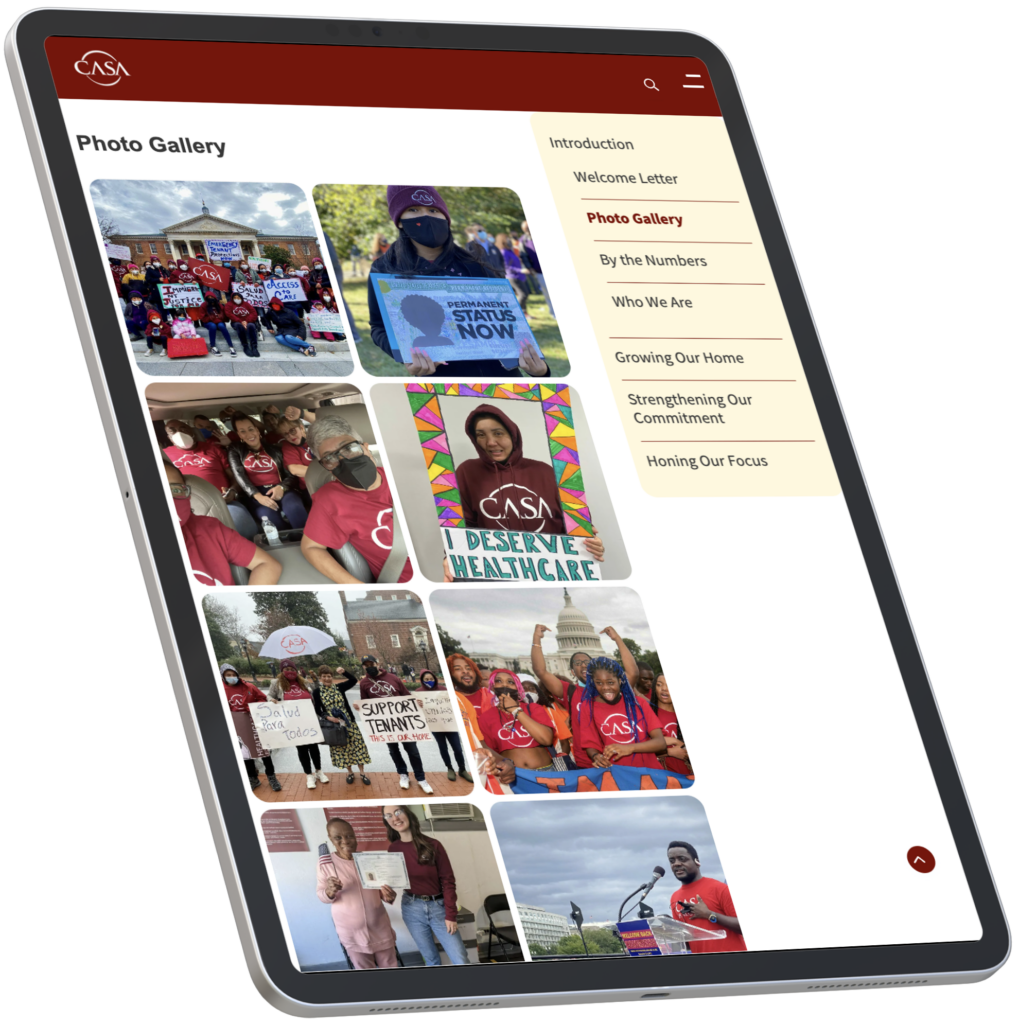
It’s more accessible, device-friendly, and better for SEO, all while showing your members that you care about their experience—not only with your website but with your organization as a whole.
What’s more, including features like graphics, social media excerpts, and pull quotes (all things that might be built into your site already) creates a more compelling user experience for those who are going to sit down and digest your entire report.
Compelling nonprofit annual reports—like the one we created for We Are CASA—not only help to build existing donor trust, but through clearly-communicated content and compelling visuals and narration, they can inspire lurking members or long-time readers to take that next step to become a donor.
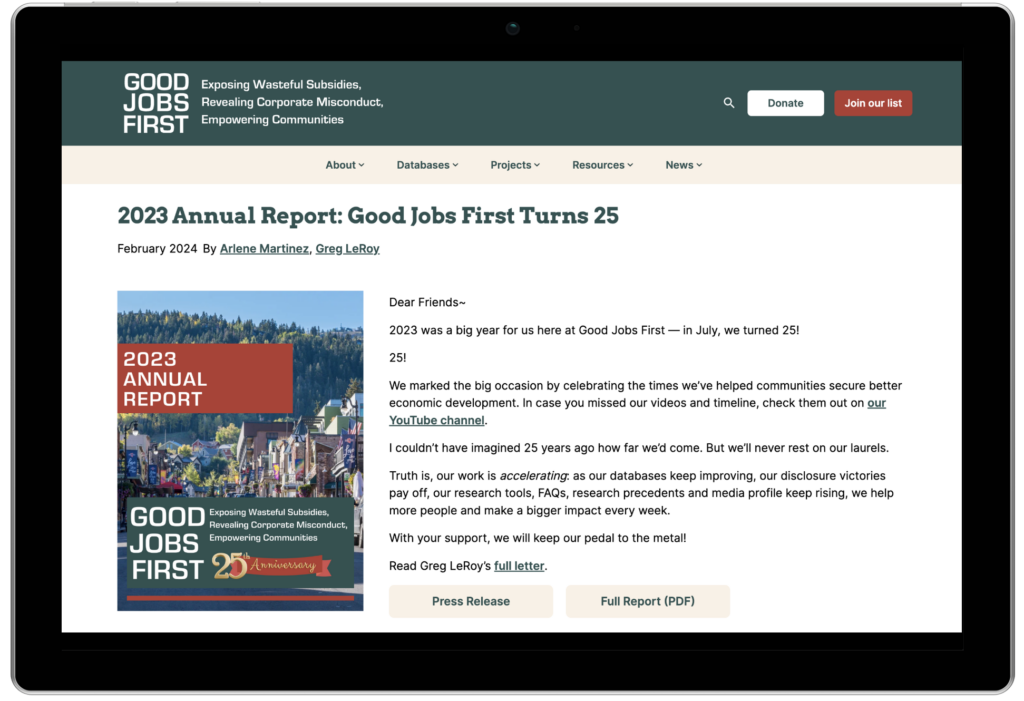

See how we helped Good Jobs First and Fair Vote craft elegant and impactful nonprofit annual reports based on the interactive report approach.
Final Insights
With either approach, you end up with a more accessible, mobile-responsive, user-friendly introduction to your organization’s annual update, whether the visitor is just learning about your nonprofit or is a long-time follower. Plus, any webpage you create will perform better on SEO than just a PDF, bringing you even more attention! And let’s not forget that you can’t embed a donate button into a PDF!
To wrap up, consider creating a landing page for your next annual report, featuring key information that resonates with your target audience at a glance. And don’t worry—there’s still room for that beloved PDF, just in “download” button form.